Facebook recently introduced new updates for Business Pages. The main goal of the newly redesigned Facebook Recommendations is to provide easier ways for people to interact with local businesses
According to Alex Himel, over 1.6 billion people around the world are connected to a small business on Facebook. Since August 2018 Facebook has been making changes to Facebook Business Pages to help more people connect with local businesses.
As stated in the official update, Facebook is making Recommendations from the business’s community more helpful:
“People use Recommendations to ask their communities where to go, where to eat, or where to shop. We’re making those Recommendations more prominent on Pages.“
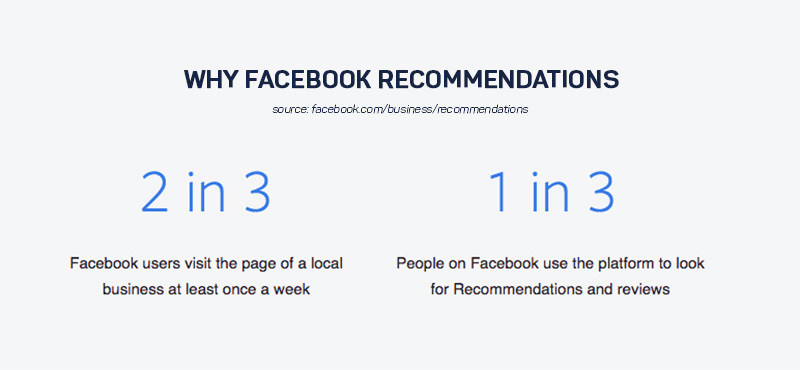
We are all aware that reviews and recommendations are extremely important for any company’s reputation. What is very interesting is that 1 in 3 Facebook users are using the platform to find reviews and recommendations.
In this post, we are publishing everything you need to know about this new feature, how it will affect your Facebook presence and how to make the most out of it.
This is why you need to pay attention to these updates and continue reading what is changed and how to make the most out of Facebook Recommendations.
Reviews are becoming Recommendations
This new feature is already rolled out and businesses will have the chance to see new reviews design on their Facebook Page.
The main change of the system is that the Recommendations option is integrated within the reviews and all recommendations that were previously given by customers or other Facebook users will be also listed in this Reviews / Recommendations section.
This means that recommendations are not only the opinions given by customers directly on the business’s Facebook page but also when people respond to their friends when they look for a recommendation on Facebook.
Note: The old Facebook reviews are safe and sound, and your Facebook Page will continue to display all previous reviews that you’ve generated.
Main benefits of the new Facebook Recommendations
The changes in the reviews system to recommendations are providing more options for customers to give their opinions about certain business. Here are some of the benefits:

1. Increase Reach with Recommendations
Your Facebook Page score will be reflected across Facebook and especially at places where customers make relevant decisions, such as Maps.
Recommendations are discoverable across Facebook when people are searching for, or talking about your business. The best thing is that Facebook will show first the recommendations provided by the closest friends which will empower the purchasing decisions and bring greater trust.

2. Post photos about the business
This option was not previously enabled in the reviews form. Now, if you tag a business in the comments section when a friend asks for a recommendation, you have the options to also post gifs or photos.
The cool thing is, that all this post will be displayed in the Recommendations section of the Facebook Page.
The best part, the mobile form for leaving a recommendation has the option to upload a photo from the phone and publish it together with the text.
Note: The character limit for a desktop recommendation is 25, for mobile it is 50.
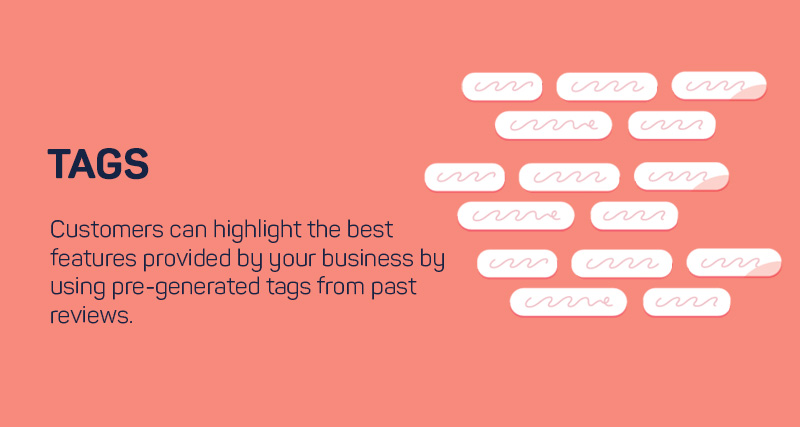
3. Tag Facebook Recommendations
When a customer leaves a recommendation directly on the Facebook page, they will have the option to choose a tag that best describes their recommendation.
These Facebook’s tags work like hashtags for businesses and the Facebook system generates them based on words used in other reviews.
How the new rating score is calculated
As outlined in the official Facebook help centre, the overall Facebook Page score is calculated as follows:
A Page’s rating is based on multiple sources, such as the reviews and recommendations people share about business Pages on Facebook.
How to activate Facebook Recommendations
If you’ve already activated the Reviews tab, you don’t need to change anything.
Note: The Recommendations is a replacement of the reviews tab and the process to activate it is the same as before.
How to recommend a business on Facebook
This process is the one that has the biggest change.
To recommend a business on Facebook, you will need to open the business’s Facebook Page that you want to recommend.
Previously, there was an option to ‘Write a review‘ and select the review score from 1-5. Now you do not actually leave a review for the business but you are recommending it.
You have only two recommendation options, to select ‘Yes’ or ‘No’ which means you want to recommend the business or not. Simple as that.
How to post a Facebook Recommendations:
- Click the Reviews / Recommendations tab
- Click Yes to recommend the Page
- Write your Recommendation and if you use mobile upload a photo along with the recommendation text
- Choose a Tag such as: great service, amazing staff or similar
- Click Post
You can also recommend a business by leaving a comment by tagging a business’s Facebook Page when some of your Facebook friends ask for a Recommendation.
We hope this article will help you improve your Facebook presence and if you have any thoughts, feel free to reach out.